Last weekend I joined the newly formed collective, The People’s Microphony Camerata, founded by Elana Mann and Juliana Snapper. I signed up because of they said we would perform scores inspired by the People’s Mic and the Occupy Movement, which has fascinated me since I first experienced it during the Brooklyn Bridge arrests. However, I was a bit hesitant when I realized they considered it to be a Choir. To the dismay of my Grandma, Edith, who sang at the Stage Door Canteen in NYC, I don’t sing (at least not in public).
But… I stuck with my commitment and half way through our second day of rehearsing and workshopping scores I realized I was enjoying myself and the sound of our collective voices. I was singing.
You can hear the results of our first recording session as it will be played on Sunday as part of Radio Break, “an exhibition on the air, presenting twelve artworks in locations throughout Los Angeles conveyed through low-power radio transmissions during two weeks and live events held on two consecutive weekends,” curated by students in the USC MA Art and Curatorial Practices in the Public Sphere program.
Radio Break started last weekend, so you may have missed some of it, but here’s this weekend’s schedule:
SUNDAY, APRIL 22nd
All events at 6020 WILSHIRE (The new ForYourArt space), 6020 Wilshire Boulevard, Los Angeles
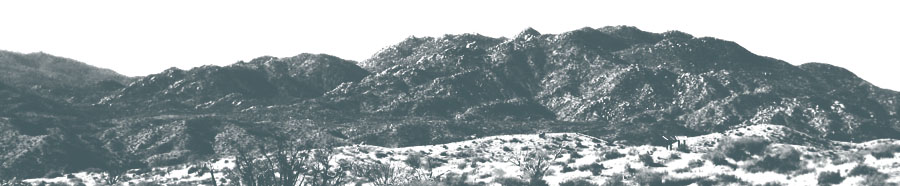
2–6pm Richard T. Walker intervenes into Los Angeles’s visual and radiophonic space, telling the absurdist tale of one man’s quest to find the words to speak when language no longer suffices in between distance and a mountain.
3–5pm
Tune into the concerns of Angelenos affected by the financial crisis by listening to the carols of the People’s Microphony Camerata (Cynthia Aaron, Karen Atkinson, Vivian Bang, Andrew Choate, Judith Dancoff, Rachel Finkelstein, Penny Folger, Sascha Goldhor, Michele Jaquis, Allison Johnson, Elana Mann, Kimberly N, Alanna Simone, Juliana Snapper, Julie Tolentino, Annette Weisser and Becca Wilson).
6–9pm LIVE PERFORMANCE and RECEPTION David Schafer‘s Cage Mix: Static Age reconceives a selection of John Cage’s compositions through live electronic and processed improvisation performed alongside an accompanying installation. A reception will follow Schafer’s performance.
A listening station with all projects will be at 6020 Wilshire through April 27th.
Hey! Happy New Year to you alls.. been on a bit of a blogging hiatus, as I am sure you can tell by now. Something to do with a new job, new house, new year, and all that. But more about that later. For now, I got video.
I just finished editing my music video for State Shirt‘s song Let’s Get Bloody, which is on the recent album of the same name. Have I mentioned the album is stellar? Yes, its worth dragging out that ol’ word for. So anyway, I have been talking with Ethan of State Shirt for years about making a video for him, and we finally pulled it together and starting shooting stuff a couple of months ago. Due to the new job and all that its been sort of slow, working on it a weekend here, an evening there, but now its done. I shot most of it, and my fantastic wife Michele helped me out with a second camera for one of the shoots.
I had been wanting to do something with these statues… I drive past the vendor every day heading in to work.. so here we go! Also, its in HD, so hit that full screen button down there.
I just finished a 2 week recording project with balloon artist Addi Somekh. He has traveled the world making balloon hats for people of all walks of life, and recently starred in the reality TV show The Unpoppables. The purpose of this project was to develop the balloon drum set as a viable, recordable musical instrument, and to create a collection of balloon drum loops and samples. We had several drummers come to play it and offer their input as the kit took a new shape and sound of it’s own. The clip here features George Bernardo playing the balloon drum set as I accompany him with an original composition on piano and synth.
And now for something ALL of our readers can check out, no matter where you are located. I have a few experimental audio tracks in this great audio art show at 323 Projects, which is a phone number gallery hosting audio art, created and run by Tucker Neel. So all you have to do to listen, is dial (323) 843-4652!
Call now! Call later! Call sixteen times a day! Serious, do that, because you will get a different artist every 15 minutes so there will be a new piece to listen to each time you call. There is also a schedule posted, if you want to try and hit a specific artist.
When the official flyer from MOCA cautions that the use of earplugs is strongly recommended, you know something other than a bit of classical music in the park will be going on. This was the situation last weekend down in Los Angeles’ State Historic Park (screw that, I am still calling it The Cornfields) when MOCA organized a re-creation of Iannis Xenakis’ Persepolis, a multi-track experimental music/space/sound composition.
I rolled up late, because I did actually turn back to pick up my earplugs (musicians gotta protect the ears you know), but couldn’t find them. The place was pretty crowded when I got there, and the sun had recently set, so light was fading fast. Walking toward the park, you could hear a low thrum, and I followed the rest of the stragglers into the park. As luck, and most likely insurance riders, would have it, ear plugs were being handed out at a MOCA info table. I plugged em in, and walked into a landscape made of noise, grass, and crowd.
I am not sure I have fully digested this thing yet, but I can say for now that it was an experience, a physical, visual and audio experience on a pretty intense level. I tested pulling the earplugs out from time to time, as I was worried I was missing the highs of the sound. And it was loud, so very very loud. Sometimes bearable and OK, but without warning, a super high pitch would drift in and threaten permanent damage.
I wandered around, as the work sprawls over the park, with speakers on posts set up regularly spaced around the area. There were searchlights and fog machines, at first seemingly doing their own thing, but later working in concert with the sound to create a frenzy of stimuli.
Later there were pillars of fire. There was subtle sound in the giant noise, lots to keep you interested, and enough change to hold me there through the entire duration. It evolved, peaking with the sweeping searchlights, then backing off just a bit to hold for a while before it all simply stopped.
These videos are nothing like it, of course. But, they give you a glimpse into the idea. Sadly, I didn’t catch a shot of the Gold Line train cutting across the edge of the field right behind the huge crowd – which was very surreal.
Well, this is a very disjointed post, but like I say, I have not digested it yet. May write more on it later when I have thought about what exactly made this so spectacular. Or maybe I will keep that to myself.
I have been fooling around with a contact mic that I made over at Machine Project last week in their workshop, and had an idea for modifying the sound of a metronome live via guitar pedal delay and synth effects. So – this is what I worked up today. It sounds a bit better live, I need to get a mic closer to the amp, not near the metronome to pick up more of the modified sound, but it looks better with my little point-n-shoot at this angle. I have been working on a bunch of sound sculpture projects lately, so there are more to come along these lines.
My father asked for a CD for father’s day, so I made him this. Piano layerings and smooth and erratic free improvisation was most probably not what he was hoping for, but how boring would the world be if all our children grew up to be exactly how we want them to be?? The last track is the jazz standard ‘Israel’ by John Carisi.
Above are a couple of sound clips from the audio I am working on for Walks Through Walls… its mostly things I have recorded on the guitar, with some other random recordings thrown in for good measure (eg, a toy finger piano, an ice skating record played on a Fisher Price record player) as well as that MIDI synthy part up there. Some sound was recorded specifically for the show, and I am also using parts of various other compositions of mine. In addition to all that, there are some sound effects thrown in. Oh yeah, and The Drifters. And maybe a Buddha Machine loop or two.
This Friday April 9th at 7pm is the Vivarium reception and talk. Come check out the beast in person. Its at Sci-Arc’s gallery in downtown Los Angeles.
Juan Azulay of Matter Management will discuss the project with Eric Owen Moss, director of SCI-Arc. That should definitely prove to be interesting.
Also got the live feed running again, so check in on that while its still up! The Live broadcast link is over in the right hand menu bar >>>>
See posts below for more information than you probably need about the whole thing.
Oh, and to whet your appetite, here is a recent interview with Juan from ReVista magazine. Its part of their larger story covering the The Argentinean New Wave.
I set up a live broadcast from inside the Vivarium, with sound coming straight out of the system and low-res video of the biology scaffolding and interior structure. So, check in on it, at times it will be live, other times it will be playing video and sound recorded from another day. Use the blue Live Broadcast link on the right hand panel, or just click here: Vivarium Live Broadcast.

 rss feed